
Improve Order Flexibility with Magento 2 Change Shipping Method in Your US Store
Efficient shipping is essential for eCommerce businesses across the United States to achieve customer satisfaction and operational excellence. As online shopping expectations rise, store administrators need the agility to change shipping methods swiftly—even post-order. The Magento 2 change shipping method feature empowers admins to update shipping methods directly from the backend, resulting in greater order accuracy, fewer errors, and happier customers. This guide explores how Magento 2 users nationwide can optimize their shipping management, incorporating insights from popular US-focused search queries.
What is Magento 2 Change Shipping Method?
Understanding the Magento 2 Shipping Workflow
Magento 2 is a leading open-source eCommerce platform known for its robust support for shipping options and carriers, such as UPS, FedEx, USPS, DHL, and custom solutions. By default, once a customer finalizes their purchase, the chosen shipping method is “locked in”—making it challenging for administrators to make changes in response to:
Customer requests for shipping upgrades
Shipping disruptions (weather, service outages)
Order fulfillment optimizations
Magento 2 change shipping method refers to the capability for admin users to:
Alter the shipping carrier/service after an order is placed but before shipment.
Update costs, tracking, and delivery options for the new method.
Ensure all changes are reflected in customer notifications and order history.
This agility is especially vital for stores in large US cities like New York, Los Angeles, Chicago, Dallas, and Miami, where logistics can be affected by location-specific regulations or weather.
Frequently Asked Questions
Can you change the shipping method after placing an order in Magento 2?
Yes, with the correct extension or plugin, admins can update the shipping method post-purchase without canceling or duplicating the order.
Why isn’t Magento 2 letting me edit the shipping option?
Out of the box, Magento 2 restricts post-checkout shipping edits to maintain order integrity; specialized plugins are needed to enable safe changes.
Does changing shipping method affect order totals or taxes?
Yes, Magento recalculates costs—including taxes—based on the newly selected shipping carrier and its rates.
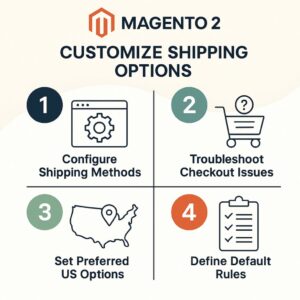
Why Changing Shipping Methods Matters for US Magento Stores
Impact on Customer Satisfaction
In high-volume eCommerce regions like Houston, Atlanta, and San Francisco, US consumers expect rapid, flexible shipping adjustments. Real-world triggers include:
Requests for expedited shipping or address corrections
Weather or supply chain disruptions
Preference for alternative carriers in specific states
Key Benefits:
Enhanced Flexibility: Adapt to customer and market needs dynamically
Operational Efficiency: Avoid complex cancellations or order recreations
Improved Customer Service: Proactive updates foster trust and loyalty
Cost Optimization: Choose more affordable or reliable carriers per destination and season
Real-World Example
A retailer in Seattle is impacted by winter storms that delay ground shipments. With the Magento 2 change shipping method feature, admins can swiftly switch affected orders to air shipping or alternate carriers, maintaining delivery commitments and customer satisfaction.
How to Use Magento 2 Change Shipping Method Extension in Admin Panel
Follow this workflow to update shipping methods efficiently from the backend, whether your team operates in New York, Los Angeles, or anywhere across the US:
Step-by-Step Guide
Access the Admin Panel
Log in to your Magento 2 admin dashboard.
Navigate to the Sales > Orders section.
Open the Relevant Order
Select the target order.
Click Ship to start the shipment process.
Change the Shipping Method
On the shipment screen, use the dropdown (provided by the extension) to select a new shipping method.
Example: Switch from FedEx Ground to UPS Express based on the customer’s state or city.
Review Updated Shipping Costs
The extension recalculates shipping charges and taxes as required.
Confirm and save these changes.
Complete the Shipment
Generate shipping labels, add tracking, and notify the customer.
Order history updates automatically with the new shipping method.
Communicate with Customers
Beyond Magento’s automatic notifications, consider a personalized message—especially in competitive markets like Chicago or Boston—reinforcing your commitment to excellent service.
More FAQs from Search
Can I enable shipping method edits for only select orders?
Most plugins allow edits only for eligible order statuses (new, processing).Will customers be notified of the change?
Yes, changes appear in order status updates and shipment tracking communications.Are all carriers supported?
Leading US carriers (UPS, FedEx, USPS, DHL), plus custom options, are widely compatible.
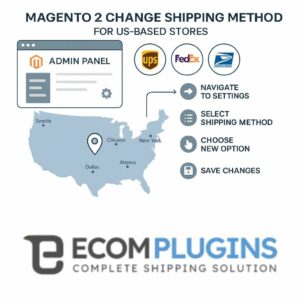
Adding or Configuring Shipping Methods in Magento 2 (with EcomPlugins Expertise)
How to Add or Configure a Shipping Method
Access Magento Admin:
Log in to your Magento 2 Admin Panel.Shipping Methods Setup:
Go to Stores > Configuration > Sales > Shipping Methods.View Shipping Methods:
Review built-in options: Flat Rate, Free Shipping, Table Rates, UPS, USPS, FedEx, DHL.Configure Details:
Enter credentials, titles, rates, and shipping countries as required.Save Config:
Click Save Config to apply changes.
For advanced control and flexibility—such as editing shipping methods after order placement—extensions from EcomPlugins allow further customization direct from the admin. This is especially recommended for US sellers needing dynamic shipping management.
Troubleshooting: Shipping Method Not Showing at Checkout
If shipping options are missing during checkout, check the following:
Shipping Method Enabled:
Make sure all relevant methods are active under Stores > Configuration > Sales > Shipping Methods.Origin/Destination Rules:
Verify allowed countries and configuration fit the customer’s address.Product Types:
Some methods are hidden for certain SKUs (virtual, specific weights).Carrier API Credentials:
For real-time rates, ensure valid carrier accounts.Cache & Indexing:
Flush Magento cache and reindex after config changes.
Extensions from EcomPlugins offer admin tools for testing and managing shipping visibility, as well as updating or overriding shipping methods post-order to resolve delivery issues seamlessly.
Setting Default or Preferred Shipping Options for US Customers
Restrict to the United States:
In each shipping method’s settings, set “Ship to Applicable Countries” as Specific Countries and select United States.Set Preferred/Default Shipping:
Magento uses the first eligible method by default. To control which appears first, reorder or rename methods accordingly.Rule-Based Management:
Use EcomPlugins’ admin tools to prioritize preferred carriers and automate rule-based shipping for various regions or customer types.
Why Choose EcomPlugins for Magento 2 Shipping Management?
EcomPlugins specializes in shipping extensions designed to meet the needs of US Magento 2 merchants. Their solutions help you:
Add, modify, and manage shipping methods effortlessly
Resolve delivery issues and test different carriers
Optimize customer service, all from the admin panel
If advanced shipping configuration, post-purchase shipping changes, or shipping method troubleshooting are priorities for your store, EcomPlugins provides tailored tools and support for the US market.
Conclusion: Enhancing Shipping Flexibility in Magento 2
Agile shipping management is crucial as US eCommerce customers continually demand speed and reliability. Magento 2 change shipping method solutions are invaluable for store owners in cities large and small, helping deliver exceptional customer experiences and operational excellence. With the right extension, you can adjust for weather, region, or customer preference—all while keeping shipping under control.
Magento 2’s extensible design lets you scale and tailor your shipping strategy across the US—ensuring every order meets high standards. Investing in advanced shipping tools keeps your store competitive and your customers loyal.